MAC Tools
Generate and verify Message Authentication Codes used across payment systems — HMAC, the six ISO/IEC 9797-1 algorithms, ANSI X9.9 / X9.19, and TDES CBC-MAC. Each tool offers hex inputs, configurable padding, a truncation length, and a step-by-step audit log.
On this page
Introduction
A Message Authentication Code (MAC) is a short tag computed from a message and a secret key. It lets a receiver verify that a message has not been altered and that it came from someone holding the same key. Payment networks rely on MACs heavily — on ISO 8583 messages, on terminal-host links, and on PIN-translation pipelines.
ISO8583Studio includes calculators for every MAC algorithm commonly seen in payment specifications, organised into two families: hash-based (HMAC) and block-cipher-based (CMAC, CBC-MAC and its variants).
Choosing a MAC
| Algorithm | Standard | Block / Cipher | Common Use |
|---|---|---|---|
| HMAC | RFC 2104, FIPS 198-1 | Hash (SHA-256, etc.) | API authentication, JWS, payment APIs. |
| CMAC | NIST SP 800-38B | AES / TDES | EMV-like cryptograms, modern PIN translation. |
| TDES CBC-MAC | ANSI X9.9 (legacy) | 3DES | Older banking integrations. |
| ANSI X9.19 MAC | ANSI X9.19 | Single DES + 3DES finalize | U.S. retail / banking ISO 8583. |
| ISO 9797 MAC | ISO/IEC 9797-1 | DES / 3DES / AES | Cross-network ISO 8583 MACs. |
| Retail MAC | ISO 9797-1 Algorithm 3 | 3DES | European retail payments. |
| AS2805 MAC | AS 2805.4 | 3DES | Australian payment systems. |
HMAC Calculator
Hash-based MAC defined by RFC 2104.
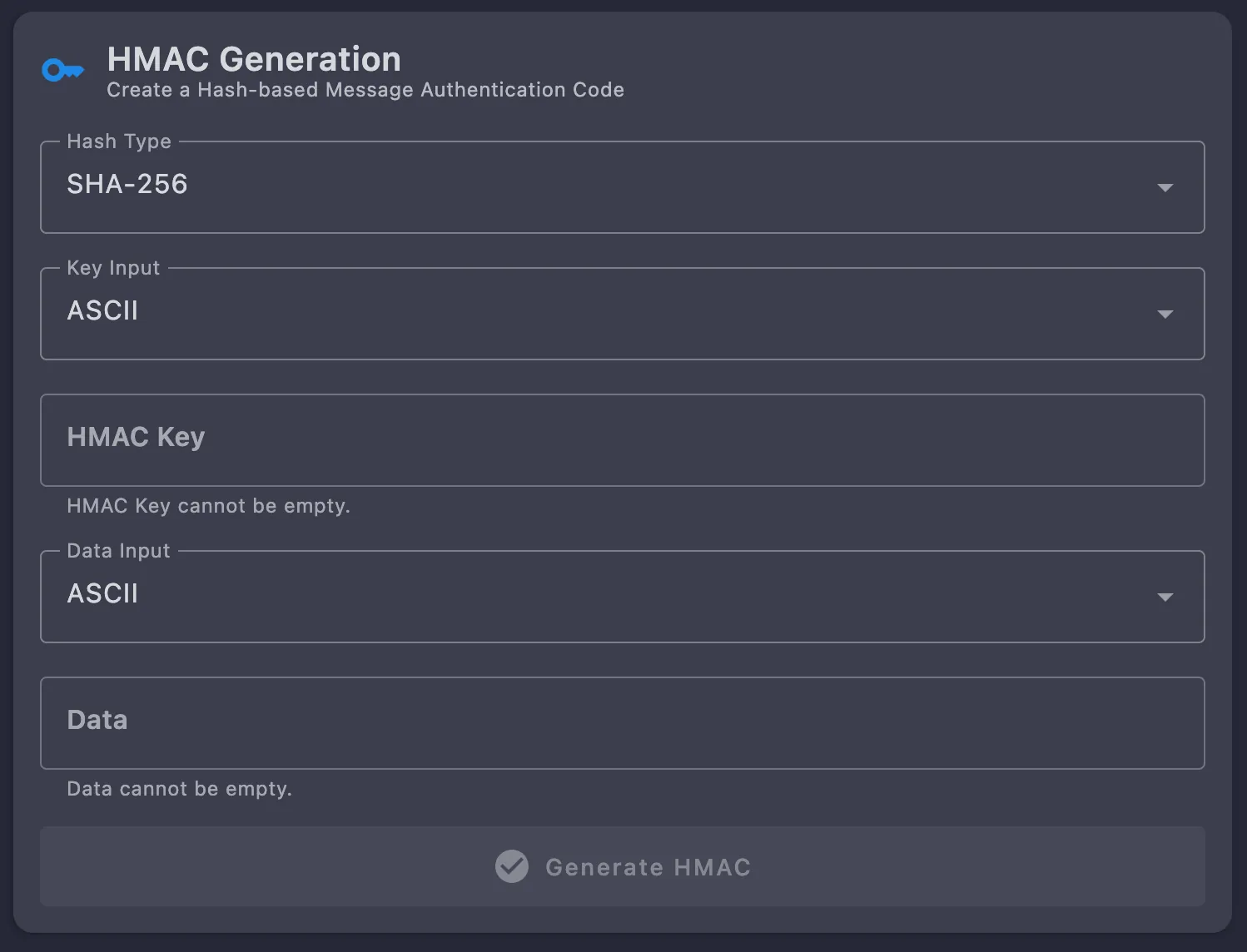
Inputs
| Field | Description |
|---|---|
| Hash Type | Drop-down: MD5, SHA-1, SHA-224, SHA-256, SHA-384, SHA-512, RIPEMD-160. |
| Key Input | Drop-down: ASCII or Hexadecimal. |
| HMAC Key | Single-line text in the chosen format. |
| Data Input | Drop-down: ASCII or Hexadecimal. |
| Data | Multi-line text in the chosen format. |
Walk-through
- Pick Hash Type —
SHA-256is a safe default for new work. - Pick Key Input —
ASCIIorHexadecimal. - Enter HMAC Key in the format you selected.
- Pick Data Input —
ASCIIorHexadecimal. - Enter Data.
- Click
Generate HMAC— Output is hex of the digest length (32 bytes for SHA-256, 64 for SHA-512, etc.) and is appended to the activity log.
Hash Type:  SHA-256
Key Input:  Hexadecimal
HMAC Key:   4A656665
Data Input: ASCII
Data:       what do ya want for nothing?

Output:     5BDCC146BF60754E6A042426089575C75A003F089D2739839DEC58B964EC3843
TDES CBC-MAC Calculator
Triple-DES CBC-MAC: encrypt the message under TDES in CBC mode and take the last block as the MAC. Common in legacy ISO 8583 implementations.
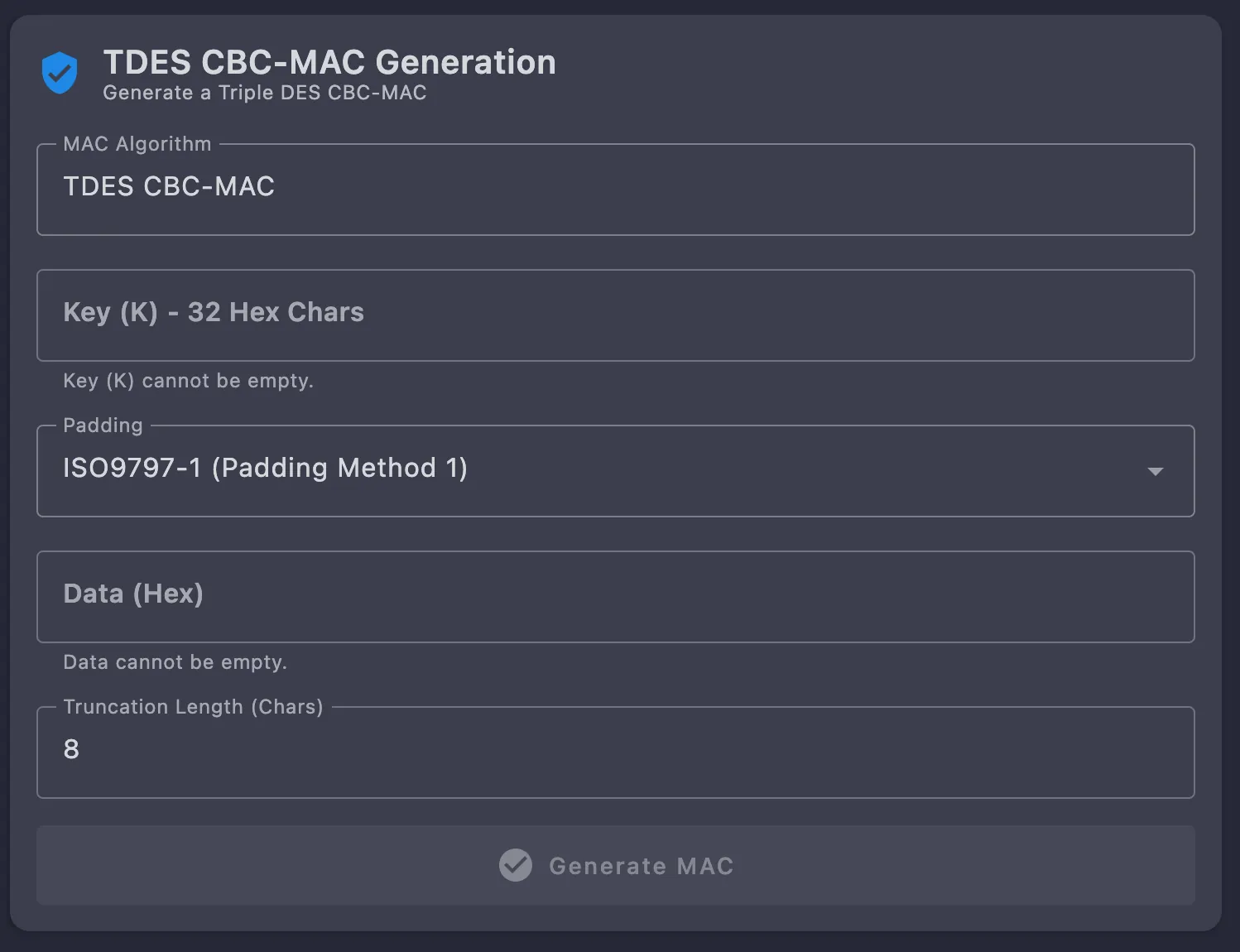
Inputs
- MAC Algorithm — Fixed to
TDES CBC-MACon this tool. - Key (K) — 32 hex chars (2-key 3DES).
- Padding — Drop-down; defaults to
ISO9797-1 (Padding Method 1). - Data (Hex) — The message to authenticate.
- Truncation Length (Chars) — Hex characters of MAC to keep; defaults to
8.
Button: Generate MAC.
ANSI X9.9 / X9.19 MAC Calculator
One tool covers both ANSI schemes: X9.9 (wholesale) and X9.19 (retail), selected from the MAC Algorithm drop-down. X9.19 runs single-DES CBC-MAC across the message with a final 3DES “finalize” step over the last block, which makes it equivalent to ISO 9797-1 Algorithm 3.
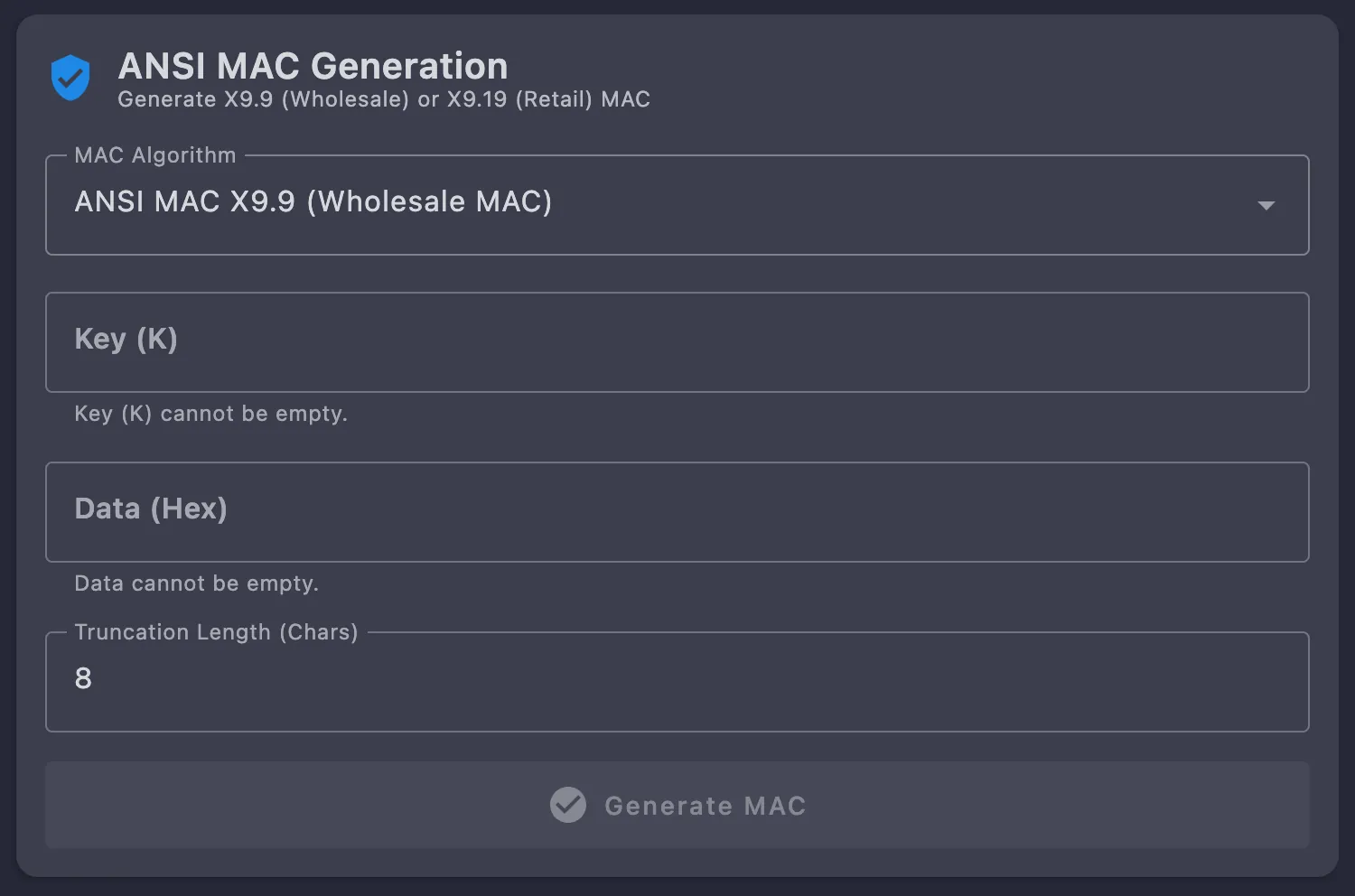
Inputs
- MAC Algorithm —
ANSI MAC X9.9 (Wholesale MAC)or the X9.19 retail variant. - Key (K) — Hex key; the 3DES halves are taken from it in order.
- Data (Hex) — The message to authenticate.
- Truncation Length (Chars) — Defaults to
8.
Button: Generate MAC.
Algorithm Summary
- Split message into 8-byte blocks.
- CBC-encrypt each block under
KL(single DES), feeding output into the next block. - Decrypt the final intermediate value with
KR. - Encrypt that result with
KLagain. The output is the MAC.
ISO 9797 MAC Calculator
ISO/IEC 9797-1 standardises six MAC algorithms over block ciphers. The calculator exposes each variant by tab.
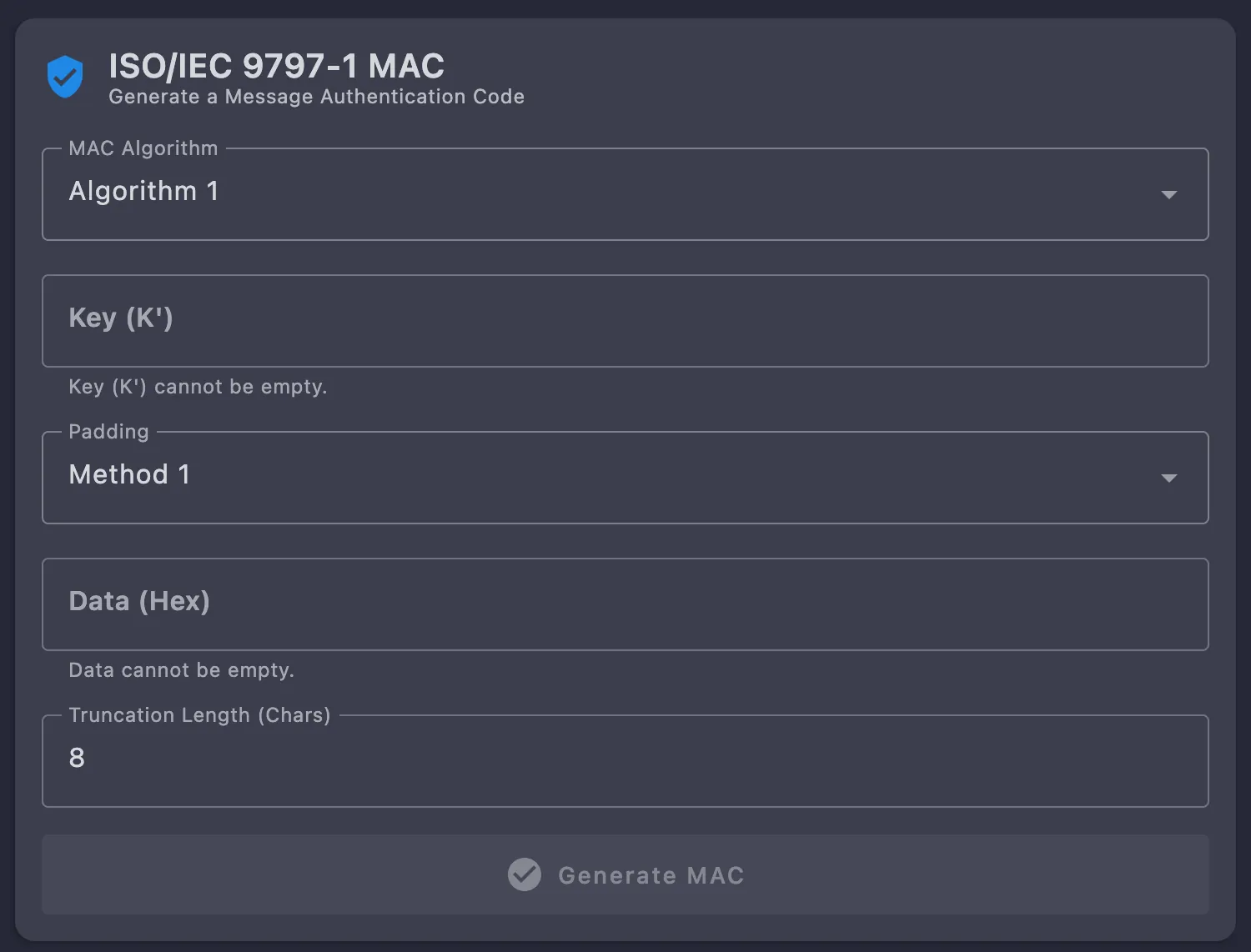
Algorithms
| Variant | Description | Typical Cipher |
|---|---|---|
| Algorithm 1 | Plain CBC-MAC. Single key. Last block is the MAC. | DES / 3DES / AES |
| Algorithm 2 | Last-block encrypted with a derived key (K′). | DES |
| Algorithm 3 | Retail MAC: single DES CBC-MAC, then 3DES finalize. Equivalent to ANSI X9.19. | DES + 3DES |
| Algorithm 4 | CBC-MAC with two parallel CBC-MAC chains XOR-combined. | DES / 3DES |
| Algorithm 5 | EMAC: CBC-MAC re-encrypted with a second key. | AES |
| Algorithm 6 | MAC double-CBC encryption with separate keys. | AES |
Inputs
- MAC Algorithm — Drop-down,
Algorithm 1throughAlgorithm 6. - Key (K′) — Hex; the algorithms that need a second key derive it from this one.
- Padding — Drop-down:
Method 1,Method 2,Method 3. - Data (Hex) — The message to authenticate.
- Truncation Length (Chars) — Defaults to
8.
Button: Generate MAC.
Example: Algorithm 1, TDES, Method 2 padding
Key:    0123456789ABCDEFFEDCBA9876543210
IV:     0000000000000000
Method: 2 (0x80 followed by zero bytes)
Data:   48656C6C6F     (ASCII "Hello")

Padded: 48656C6C6F800000
Output: 8F9E4CCDD623E590
Padding Methods (ISO 9797-1)
| Method | Rule | Notes |
|---|---|---|
| Method 1 | Append 00 bytes to next block boundary. | Simple but ambiguous — cannot distinguish trailing zeros in plaintext. |
| Method 2 | Append a single 80 byte, then 00 bytes. | Self-describing and unambiguous. Recommended. |
| Method 3 | Prefix message with its length, then pad with 00. | Used in some legacy systems; rare in payments. |
Tips
- Always confirm the IV the host expects — many hosts default to all zeros, but some use the previous transaction’s MAC as a chaining vector.
- Match the padding method to your host spec. A wrong padding method produces a deterministic but wrong MAC, which is one of the most common debugging traps.
- For DUKPT-derived MAC keys, generate the session key in the DUKPT Tools first, then plug the result into the corresponding MAC calculator.
Try it on your own transactions
Free and open source. Download the studio and run these calculators on your desk in minutes.
Testing with a team, or certifying with a scheme? Pro raises the CPS ceiling, unlocks the full algorithm set and deep simulator tweaks, plus hosted endpoints and priority support.
Register for Pro