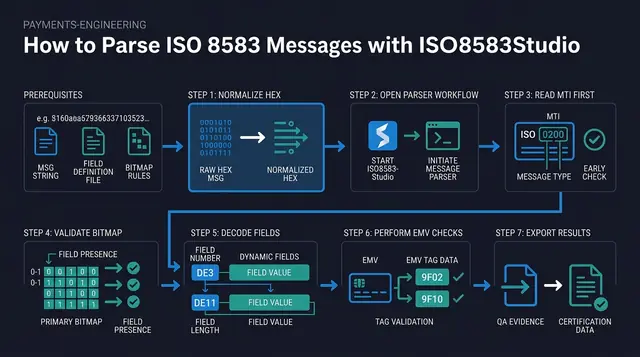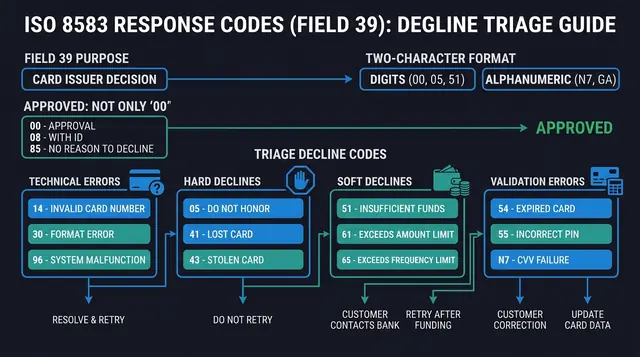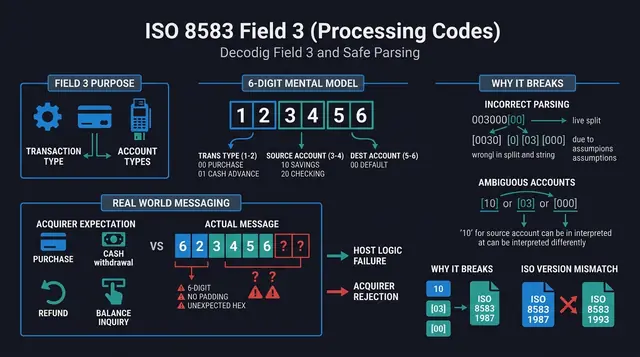
The bitmap is the unsung hero of ISO 8583. It is also the first place integrators stumble: a single misread bit does not just misinterpret Field 7—it shifts the entire remainder of the message, producing plausible-looking garbage. If you want confidence in your traces, you need a crisp mental model of what a bitmap is, how primary and secondary bitmaps relate, and how to validate your understanding with tools rather than intuition.
This article explains ISO 8583 bitmaps in a practical, developer-first way, and points to ISO8583Studio—a free cross-platform desktop application for payment testing—as a place to rehearse bitmap reasoning with calculators and parsers (https://iso8583.studio).
What problem bitmaps solve
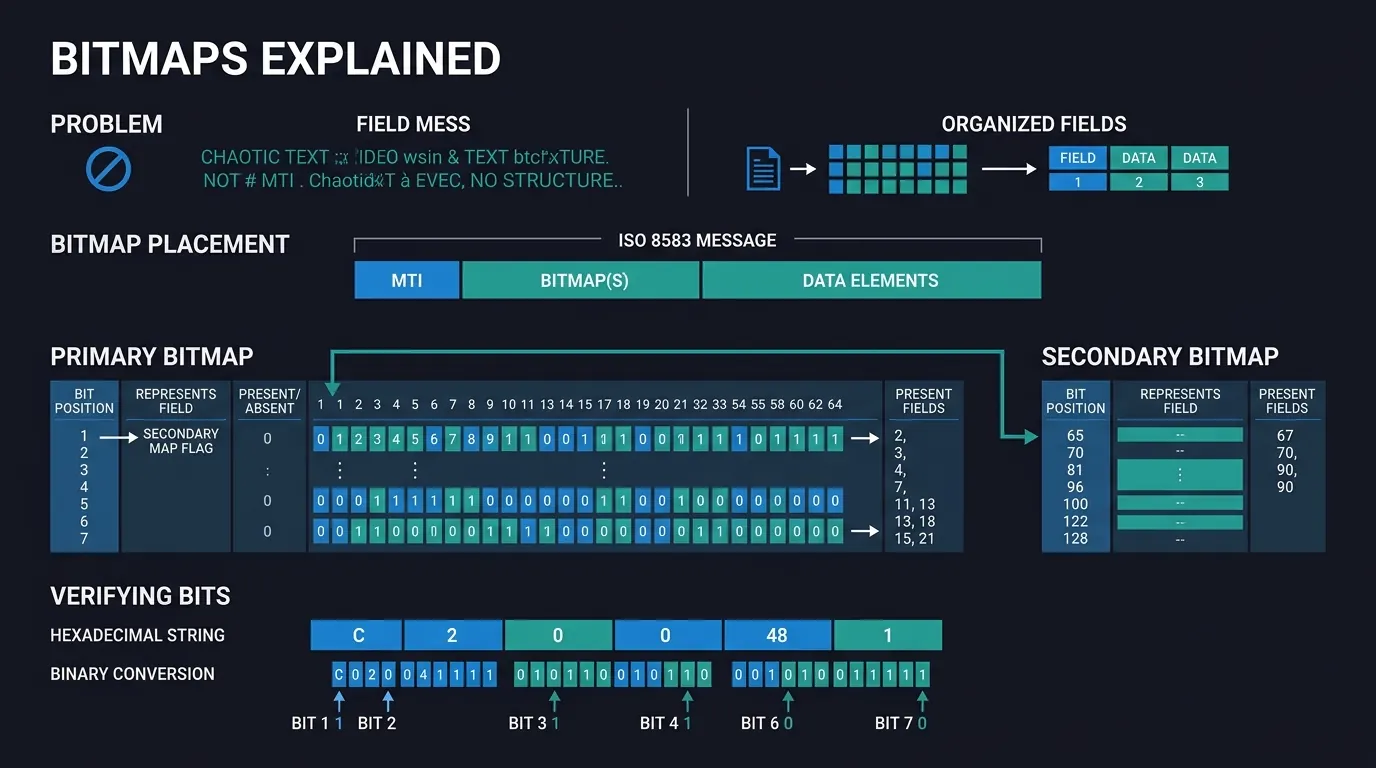
ISO 8583 messages can include many optional data elements (fields). Transmitting a full fixed layout every time would waste bandwidth. Instead, the message includes a compact presence map: a sequence of bits indicating which fields are included.
In other words: bitmap → which fields exist → parse those fields in order.
The specification in four lines
- The primary bitmap is 64 bits (8 bytes; 16 hex characters in ASCII encodings, 8 raw bytes in binary ones). Bit
nset means data elementnis present, forn= 1–64. - Bit 1 set means a secondary bitmap follows: another 64 bits covering data elements 65–128.
- Bits are numbered from the most significant bit of the first byte: bit 1 is the top bit of byte 1, bit 8 its bottom bit, bit 9 the top bit of byte 2, and so on.
- The bit-to-field-number mapping is fixed by ISO 8583. What each field contains (its format and meaning) is where networks differ.
A worked example, the primary bitmap F23A8C0000800000:
| Byte | Hex | Bits | Fields present |
|---|---|---|---|
| 1 | F2 |
1111 0010 |
1 (secondary bitmap follows), 2, 3, 4, 7 |
| 2 | 3A |
0011 1010 |
11, 12, 13, 15 |
| 3 | 8C |
1000 1100 |
17, 21, 22 |
| 4–5 | 0000 |
— | none |
| 6 | 80 |
1000 0000 |
41 |
| 7–8 | 0000 |
— | none |
So this message carries DE 2 (PAN), 3 (processing code), 4 (amount), 7 (transmission date/time), 11 (STAN), 12 and 13 (local time and date), 15 (settlement date), 17 (capture date), 21 and 22 (forwarding institution, POS entry mode) and 41 (terminal ID) — and, because bit 1 is set, a secondary bitmap comes next.
Where the bitmap sits in the message
While exact layouts depend on your variant and transport framing, a common mental model is:
- MTI (message type indicator)
- Bitmap (primary, and sometimes secondary)
- Fields that are present, in field-number order according to your implementation guide
Your transport may add headers (TPDU, length prefixes, etc.). Always strip to the ISO 8583 payload per your spec before blaming the bitmap.
Primary bitmap: the first presence table
The primary bitmap encodes presence for fields 1–64. A few positions are worth memorising because they show up in every trace (for example fields related to PAN, processing code, amounts, STAN, time, and capture metadata—exact numbering depends on your message variant).
Bit numbering and “which field is which”
Bit positions map to field numbers one-to-one, as the table above shows; that part does not vary. What does vary is the content of each field: ISO 8583:1987, :1993 and :2003 define different formats for some elements, and every network's implementation guide pins down lengths, encodings and private-use fields. When reading tutorials, check which revision they describe (most card networks are still on 1987) and whether field 1 is treated specially).
Rule of thumb: the bitmap tells you which fields are present; your acquirer's implementation guide tells you what is in them. Use both.
Field 1 and the secondary bitmap
Field 1 is the secondary bitmap itself. Bit 1 of the primary bitmap says whether it is present; when it is, the next 64 bits (fields 65–128) follow immediately. That matters because:
- The presence of high-numbered fields may require the secondary map.
- Your parser must treat Field 1 correctly or you will mis-locate later fields.
When you see unexpected “extra bytes” early in the payload, ask: Is this a secondary bitmap situation? That question resolves a surprising number of integration mysteries.
How bitmaps are represented on the wire
Bitmaps may be represented as binary bits packed into bytes (common) or sometimes as hex characters in logs. When you debug:
- Be explicit whether a log shows hex of packed bitmap bytes or already-expanded bit strings.
- Watch endianness and nibble order issues when translating between views.
This is where “bitmap calculators” earn their keep: they help you convert between hex, binary flags, and field presence lists without hand errors.
Reading a bitmap as a workflow (not a stunt)
Use a disciplined sequence:
- Identify MTI and confirm you are looking at the correct message direction (request/response).
- Extract the bitmap bytes from the correct offset (after accounting for any transport headers).
- Expand bits to determine which fields should be present.
- Parse fields sequentially using your spec’s length rules.
If a field looks wrong, revisit step 3 before you theorize about issuer logic.
Common pitfalls
Pitfall: confusing “field absent” with “field empty”
Absence means the bitmap bit is not set. Empty means present but zero-length, which the standard allows only for variable-length fields and most implementation guides forbid.
Pitfall: mixing up message variants
8583-like messages appear across many systems, but dialect rules differ. The bitmap is unforgiving: correct parsing requires correct dialect.
Pitfall: editing a message without updating the bitmap
Generating test messages manually is a classic mistake: you add a field in hex but forget to update the bitmap. The result is either a parser mismatch or a MAC failure—sometimes both.
Using a bitmap calculator effectively
A bitmap calculator is most valuable when paired with a hypothesis:
- “We believe Fields X and Y are present—does the bitmap agree?”
- “If Field 1 indicates secondary bitmap, do we see the expected high fields?”
ISO8583Studio includes tooling oriented toward these practical checks alongside broader ISO 8583 workflows—so you are not doing bitmap math in a separate ad-hoc script.
Download the latest desktop release for Windows, macOS, or Linux:
Conclusion
Bitmaps are not exotic cryptography—they are structured flags. The primary bitmap tells you what exists; the secondary bitmap (when used) extends the story for higher field numbers; and your implementation guide tells you how those bits map to DE2, DE3, … in your network’s dialect. Learn the workflow, verify with a bitmap calculator, and treat every “weird field value” as a boundary problem until proven otherwise. ISO8583Studio helps payment developers keep that workflow local, fast, and repeatable—so you spend less time debating bits and more time finishing integrations.